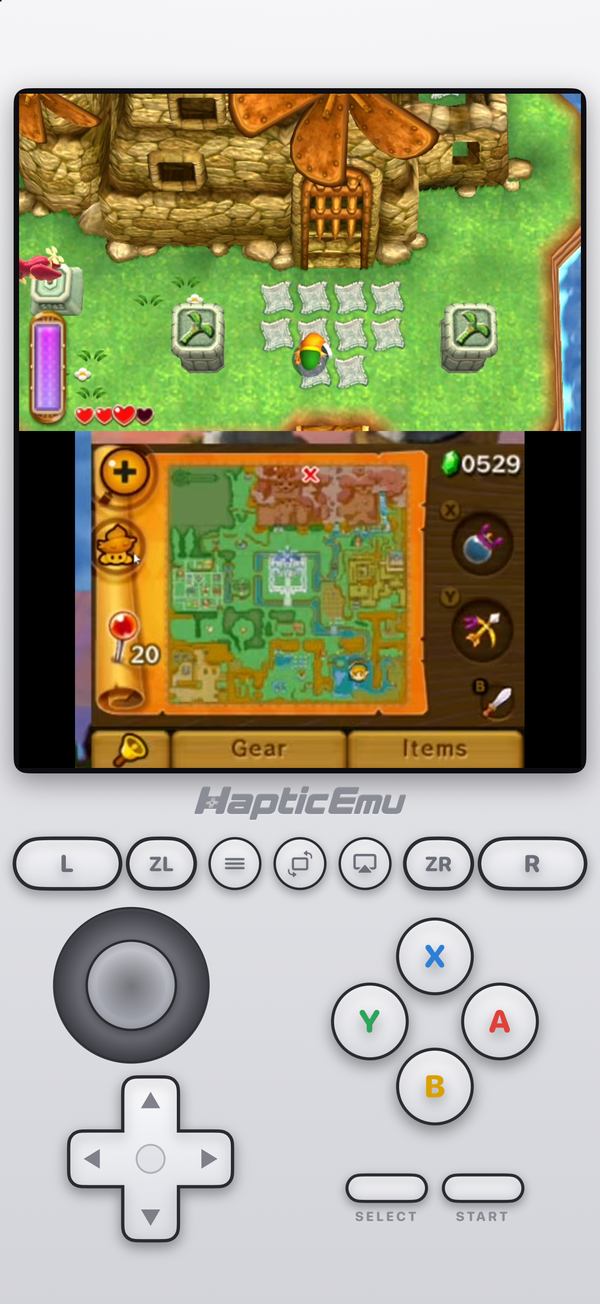
If you search for this, you'll still find articles saying Folium is the only 3DS emulator on the App Store. That was true for a while in 2024. It isn't now. As of October 2026 there are three serious options: Manic EMU, Folium and Haptic Emulator.
We make one of them, so take this with that in mind. We've tried to be fair, including about where the others are ahead.
The short version
- Want every feature, and play on more than one device? Manic EMU. Cloud sync, cheats, achievements, multiplayer, and the longest system list of any of them.
- Happy to pay once for a focused, Apple-styled app? Folium.
- Want 3DS to just work, free, with your games never leaving your phone? Haptic. No keys or system files to find, and your 3DS games sit on the same shelf as your PSP, PS1 and N64 ones.
Side by side
| Manic EMU | Folium | Haptic Emulator | |
|---|---|---|---|
| Price | Free; optional Premium (monthly, yearly, lifetime) | Paid ($2.99 in the US) | Free to play; optional Pro |
| Systems | 40+, from 3DS and GameCube to J2ME | About a dozen, incl. 3DS, DS, GBA, PS1 | 26, incl. 3DS, GameCube, PSP, PS1, N64 |
| 3DS files | See its docs | See its docs | Decrypted .3ds, .cci, .cxi, .3dsx |
| Keys or system files | See its docs | See its docs | Not needed |
| JIT | Not by default | Not by default | Not needed; runs without it |
| Screen layouts | Flexible, third-party skins | — | Stacked, as on the console |
| Cheats | Yes, online library | — | Not for 3DS yet |
| Sync between devices | iCloud | — | No; local, export free |
| Achievements | RetroAchievements | — | No |
| Multiplayer | Local and online on eligible cores | — | Local two-player on older systems; not 3DS |
| Haptic feedback | — | — | Taptic Engine on every press |
| Play on a TV | AirPlay | Standard iOS mirroring | Built in (Pro), phone as controller |
| Games and saves uploaded | If you enable sync | — | Never; no account |
| Minimum iOS | iOS 15 | iOS 16 | iOS 18 |
| App Store rating (US) | 4.7 from about 16,000 | 2.4 from about 840 | 4.4 from 11 |
Competitor details come from their App Store listings on 11 October 2026 and will drift; a dash means the listing doesn't say. Haptic's rating is from very few reviews, because it's a much newer app — read it accordingly.
Manic EMU: the one with everything
Manic EMU is the big one, and it has earned it. It plays more systems than either of the others — Wii, Sega CD and J2ME as well as 3DS and GameCube — and it piles features on top: iCloud sync between iPhone and iPad, RetroAchievements, an online cheat library, flexible layouts with third-party skins, local and online multiplayer on the systems that support it, and imports from Google Drive, Dropbox and network drives.
If you want to tune a 3DS game, swap its screens around, sync your save to an iPad and earn achievements while you play, Manic EMU is the one to get, and the free tier covers the core of it.
The cost is complexity. It is a big app with a lot of menus, and on 3DS specifically, its own users report the usual problems of the platform: some games heavy, some crashes, setup to get right. That's not unique to Manic EMU — it's what 3DS on a phone is like — but there's more of it to configure.
Folium: the paid specialist
Folium was one of the first App Store apps to play 3DS games, and the 3DS is still at its centre. It's a paid download with a smaller list of systems, and its listing leans on design: it describes itself as a beautifully designed app for Apple devices. It's under active development, with regular updates to its 3DS core.
Its App Store rating is the lowest of the three, and its reviews are worth reading before you pay. Some of that is the age of the early versions; some is the nature of 3DS emulation without JIT. If its style appeals, it's a reasonable choice, but it's the only one of the three you can't try for free.
Haptic: 3DS without the homework
Haptic added the 3DS in October 2026, so it's the newest arrival here and the simplest. You import a decrypted game file and press play. There are no keys to find and no system files to dump; the app's 3DS support, built on the open-source Azahar emulator, ships stand-ins for the system data games expect. If a file is still encrypted, Haptic says so at import instead of leaving you guessing.
The two screens sit one above the other, as on the console, with the lower one as a touchscreen and a New 3DS layout underneath — Circle Pad, ZL and ZR included — with Taptic feedback on every press. Real controllers work, with the right stick as the C-stick.
And the 3DS goes on a shelf next to 25 other systems, from the NES to the PSP and Dreamcast, with one controller setup, and your games and saves are never uploaded.
The honest trade
Haptic's 3DS is deliberately simple, and right now it is also less capable than Manic EMU's: one stacked layout, no cheats on 3DS, no sync, no multiplayer. If those matter to you, Manic EMU is the better 3DS app today. Haptic's bet is that most people want their 3DS games to start without homework, and to live alongside everything else they own.
The thing none of them can fix
All three run 3DS games without JIT, because App Store apps can't switch it on themselves. Without it, the heaviest 3D games can slow down in busy scenes on any of these apps, and newer iPhones help more for 3DS than for any other system. Some apps can use JIT if you enable it with a separate sideloaded tool; that's outside the App Store, and Haptic doesn't rely on it.
None of them can show the 3D effect either, since that needed the 3DS's own screen. And Nintendo's 3DS online services closed in April 2024, so online play in the original games is gone wherever you play them.
Which iPhone do you need?
Haptic needs iOS 18, so an iPhone XS or newer. Manic EMU and Folium go back further. But for 3DS specifically, the minimum isn't the useful number: the more recent the iPhone, the more of the 3DS library runs at full speed, whichever app you choose.
Frequently asked questions
Is Folium the only 3DS emulator on the App Store?
What is the best free 3DS emulator for iPhone?
Does Delta play 3DS games?
Do any App Store 3DS emulators use JIT?
Do I need keys or system files for 3DS on iPhone?
Do any of these apps include 3DS games?
The 3DS, and 25 more.
Haptic Emulator runs 26 retro systems on iPhone and iPad — free to play, and it ships no games: it plays the ones you already have.

Free to play · all 26 systems · iPhone & iPad