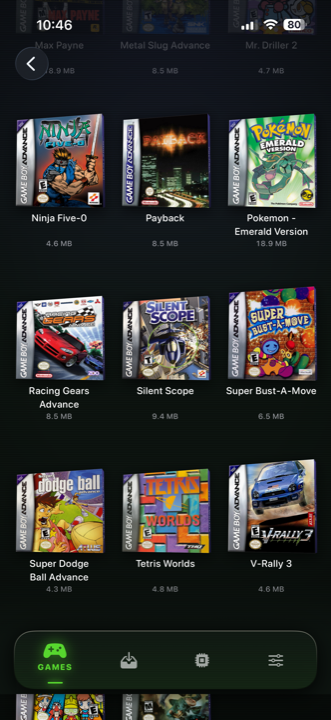
Short version: emulators are normal App Store apps now. Apple changed the rules in 2024, so all the old business — jailbreaking, plugging into a computer every week, apps that stopped working after seven days — is gone.
What's left is a choice between a lot of apps that all claim much the same things. Here's what actually makes a difference once you've been using one for a fortnight.
1. Do you want one app, or six?
This is the first real fork, and it matters more than anything technical.
Some emulators do one console very well. If you only care about the Game Boy Advance and you enjoy fiddling with settings, one of those is a perfectly good choice.
But most people don't want one console. They want the Game Boy game they loved, and the PlayStation one, and the N64 one — and they'd rather not install six apps, learn six interfaces, and keep their saves in six different places.
Haptic runs 21 consoles in one app, so everything sits on one shelf together. That's the whole pitch, and it's the thing you appreciate on day fourteen rather than day one.
2. Do the controls fit each console?
This is where cheaper apps give themselves away. It's easy to draw one gamepad and use it for everything. It's also wrong, in ways you'll hit immediately:
- The N64's four little yellow buttons are buttons in most games — squashing them into a thumbstick breaks half the library.
- PlayStation games need all four shoulder buttons, not two.
- Nintendo DS games need you to touch the screen, and somewhere sensible to put both screens.
- The Game Boy's screen is nearly square, and looks wrong stretched to fill a phone.
Look for an app that changes its layout depending on what you launched, and that lets you drag the buttons where your hands actually want them.
3. Can you get your saves out?
Worth thirty seconds of checking before you sink fifty hours into an RPG.
Some apps keep your saves locked inside them. If you ever want to switch app, or your phone dies, that's your progress gone. Haptic lets you export your saves whenever you want, on the free version included — they're yours, not the app's.
Ideally you want two kinds of saving: the game's own save, and the ability to snapshot anywhere and jump straight back in. The second is what makes hard old games playable again.
4. Does it look right?
Old games were made for old televisions, and showing them perfectly sharp on a modern phone can genuinely make them look worse — flatter, harsher, with patterns the artists never meant you to see.
A good app gives you screen filters that put back what the old screen did: tube television, scanlines, the handheld look, the Game Boy green. One tap, and it's the difference between "an old game" and "the game I remember."
The honest limits of all of them
Nobody can fix these, so be wary of anyone claiming otherwise:
- No link cable. Trading and cable multiplayer needed two machines. One phone can't do it.
- No games included. Any app shipping games or pointing you at them is taking a risk you'd end up sharing.
- Motion and microphone games are awkward. A flat screen can't tilt or listen.
- 3D games use battery. A PSP session costs noticeably more than a Game Boy one.
So, short answer
Want one console and lots of settings to play with? Get the dedicated app for it.
Want your childhood in your pocket — organised, with controls that suit each console, and saves you can take with you? That's what Haptic is built for.
For the curious (optional)
Not required reading — just definitions, if you've seen these words about.
Emulator — software that pretends to be old console hardware so its games will run. Legal, and has been for a long time.
ROM — the game file itself. The name comes from the read-only memory chips inside old cartridges.
Save state — a snapshot of the exact moment you're at, which the original consoles couldn't do. Different from the game's own save, which is what the game itself writes.
Shader or filter — the effect that makes the picture look like an old television or handheld screen instead of a perfectly sharp modern display.
Frequently asked questions
Are emulators allowed on the iPhone App Store?
Is it better to get one app per console, or one app for everything?
Do emulators come with games?
What's the difference between a save state and a normal save?
Is Haptic Emulator free?
Your whole childhood. One download.
Haptic Emulator runs 21 retro systems on iPhone and iPad — free to play, and it ships no games: it plays the ones you already have.

Free to play · all 21 systems · iPhone & iPad