If you search for the best DS emulator for Android, most of what comes back names DraStic. For a decade that was the right answer: a paid app that ran the DS smoothly on phones that had no business doing so. Its developer made it free in 2024, then took it off Google Play in February 2025, and it hasn't come back. Guides written before then are recommending an app you can no longer install from the Play Store.
The DS didn't leave Android with it. melonDS, the open-source emulator that spent years catching DraStic up and then passed it on accuracy, is on Google Play, and it's also what runs the DS inside Haptic, Lemuroid and RetroArch. We make Haptic, one of the apps below, so take this with that in mind. Where another app is the better pick, we say so.
The short version
- DS only, free, and as accurate as it gets? melonDS.
- DS plus GBA, PlayStation, PSP, 3DS or anything else, with a layout made for each console? Haptic Emulator. 26 systems, one app.
- Want a free, open-source all-in-one? Lemuroid for simplicity, RetroArch for control.
- Like trying newer emulators? NooDS, from its developer's GitHub page.
- Looking for DraStic? It's gone from Google Play. Read what happened before you download anything with its name on it.
Side by side
| melonDS | Haptic Emulator | Lemuroid | RetroArch | NooDS | |
|---|---|---|---|---|---|
| Systems | DS and DSi | 26: Nintendo, Sony, SEGA, Atari, NEC, SNK, arcade, DOS | 20+ | Dozens, via cores | DS and GBA |
| Where to get it | Google Play | Google Play | Google Play | Google Play | GitHub builds |
| Price | Free, open source | Free to play; optional Pro | Free, open source | Free, open source | Free, open source |
| DS emulator inside | melonDS 1.1 | melonDS, through melonDS DS | melonDS or DeSmuME | melonDS DS, DeSmuME and others | Its own |
| BIOS / firmware | Built-in replacements | None needed | Depends on the core | Depends on the core | Only for the system menu |
| Cheats | Yes | Yes, Action Replay | Not listed | Yes | — |
| RetroAchievements | Yes | No | — | Yes | — |
| Screens | Layout editor; dual-screen devices | Both stacked, top only, bottom only or a split, set per game | Resizable controls | Set per core | — |
| Cloud saves | — | No; local, exportable free | Cloud save sync | — | — |
| Ships games or BIOS | No | No | No | No | No |
Competitor details come from their Google Play listings, project pages and release notes in November 2026 and will drift; a dash means we couldn't find it stated.
melonDS: the specialist
melonDS for Android is a free, open-source port of the melonDS emulator by Rafael Caetano, an independent developer rather than the melonDS team itself. It's on Google Play, and 2026 was a big year for it: version 2.0 moved it onto the melonDS 1.1 core and added support for dual-screen devices, and 2.0.1 sped up its OpenGL renderer.
Around the emulator it has what DS players ask for: a layout editor for the on-screen controls, save states and rewind, manual cheat entry, RetroAchievements, Rumble Pak support and the option to hide the touch controls when a gamepad is connected. Its own project page is honest about the gaps: no local multiplayer yet, no DSi SD card, no custom button skins. If the DS is the only console you play on your phone, this is the one to install.
Haptic: the DS as one shelf of many
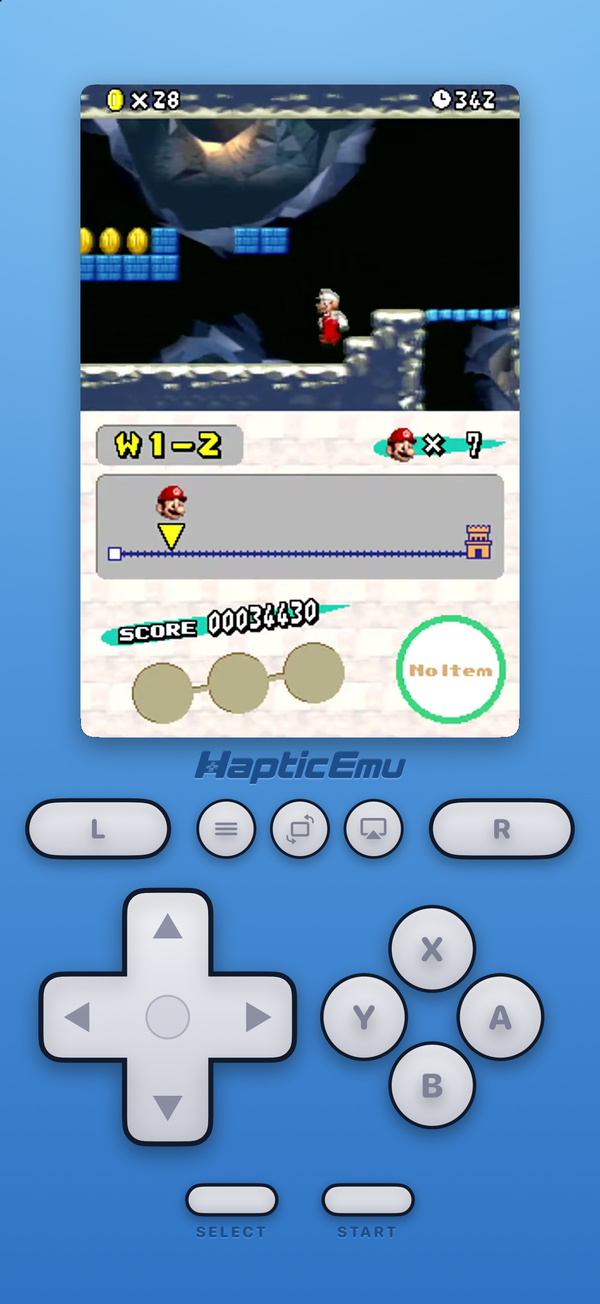
Haptic plays the DS on the same melonDS emulator, through the melonDS DS core, with its JIT recompiler switched on (Android allows it; iPhone doesn't). It boots games without any BIOS or firmware files from you. What it adds is the console around it. The on-screen pad is DS-shaped, electric blue with L, R, X, Y, A and B where your thumbs expect them, every button draggable, and each press answered by the phone's vibration motor. The lower screen takes your finger as the stylus.
Screens are set per game. Keep both stacked as the hardware had them, give the whole display to the top screen when the bottom one is only a map, give it to the lower screen for a touch-heavy game, or split them with one screen large and the other small. Action Replay cheats work, and PlayStation, Xbox and other Bluetooth or USB controllers map the way you'd expect. On a flip-style foldable, Haptic splits its layout at the crease, so the phone stands half-open like a tiny DS.
The reason to pick it over melonDS is the other 25 shelves. If your collection has a GBA cartridge, a PlayStation disc, a PSP game or a 3DS game in it, Haptic plays those too, with the same controls and one library. Our DS guide for Android walks through the setup.
The honest trade
On the DS specifically, Haptic does less than melonDS. It has no RetroAchievements, no side-by-side screen layout and no cloud sync, so moving phones means exporting your saves first (they're never uploaded, and exporting is free). The free version shows ads and holds a few games at a time; fast-forward and unlimited save states come with Pro. If the DS is all you play, melonDS will suit you better.
Lemuroid and RetroArch: free all-in-ones
Lemuroid is the simplest free way to play many systems. It's open source and built on libretro, and its project page lists the DS with both the melonDS and DeSmuME cores. Point it at a folder and it scans your games; controls are resizable, gamepads work, and saves can sync to the cloud.
RetroArch is the most configurable app in emulation. It runs the DS through libretro cores, melonDS DS among them, and it has shaders, RetroAchievements and a setting for everything. The cost is setup: you choose a core, configure the controls and arrange the two screens yourself. If you already use it on a PC or a handheld, you'll want it here too.
NooDS: for tinkerers
NooDS is a newer open-source DS and GBA emulator from Hydr8gon, written from scratch rather than built on melonDS. It has Android builds on its GitHub page, updated as the code changes, and it wants real DS BIOS and firmware files only if you want to boot the DS system menu. It's interesting and improving, but it's a project for people who enjoy following one, not the first thing to hand a friend.
What happened to DraStic
DraStic was the paid DS emulator almost everyone on Android used. In 2024, after Nintendo's legal action against the Yuzu Switch emulator, its developer made it free and said the source code would be released. On 14 February 2025 the app disappeared from Google Play without an explanation, as Android Police and Android Authority reported at the time. As of November 2026 its listing still doesn't exist, and we haven't seen the source code released.
Two things to watch for. A listing called "Drastic DS: NDS Emulator" is on Google Play under a different package name; it isn't the original app, whatever it runs. And download sites offer DraStic APKs, some of them modified and re-signed. A copy you bought years ago may still be in your Google Play library on an older phone, but if you're starting fresh, melonDS does everything DraStic did and is still being updated.
Which one for Pokémon?
Generations 4 and 5 lived on the DS: Diamond, Pearl, Platinum, HeartGold, SoulSilver, Black, White and their sequels. Every app on this page plays them through to the end, and the touchscreen menus suit a finger well. melonDS and Haptic both take Action Replay codes. The gap is trading: two DS consoles traded over local wireless, the melonDS Android port lists local multiplayer as missing, and Haptic doesn't emulate it either, so trade evolutions are out of reach on one phone. Which handheld each generation needs is in the Pokémon emulator guide for Android.
For the curious (optional)
Most of these apps share an engine. melonDS for Android, Haptic and RetroArch's melonDS DS core all run melonDS underneath, so their accuracy is close and the differences you'll notice are in the controls, the screens and the features around the game. DraStic was different: a closed-source emulator built for speed on the weak ARM phones of the early 2010s, which is why it held on for so long.
Speed on Android comes from JIT recompilation, which translates the DS's ARM code into your phone's native code on the fly instead of interpreting it one instruction at a time. Android lets apps do that, so melonDS-based apps here run the DS comfortably on most phones from the last several years, and the heaviest 3D games run best on newer chips.
Frequently asked questions
What is the best DS emulator for Android?
Is DraStic still on Google Play?
melonDS or DraStic: which is better?
Do I need a BIOS or firmware for DS on Android?
Which DS emulator is best for Pokémon on Android?
Do any of these apps include DS games?
DS, and 25 more.
Haptic Emulator runs 26 retro systems on Android phones, tablets and foldables — free to play, and it ships no games: it plays the ones you already have.


Free on Google Play · Android 9 and later · 26 systems