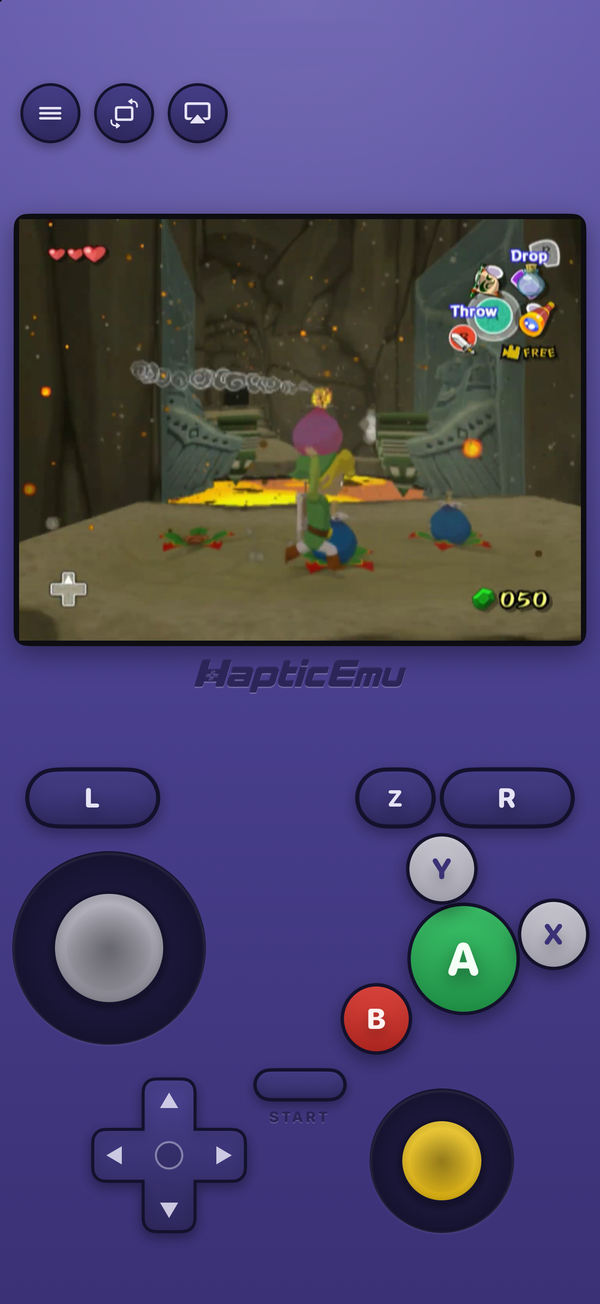
Most people looking for a GameCube emulator on iPhone search for Dolphin, because on a PC that's the answer. On an iPhone it's more complicated. The official Dolphin project doesn't make an iOS app. What you'll find instead is a port that has to be sideloaded, a fork of that port, a couple of big App Store emulators that list GameCube among dozens of systems, and Haptic Emulator, which added GameCube in October 2026.
We make Haptic, so take this with that in mind. We've tried to be fair, including about where the others are ahead.
The short version
- Want the fastest GameCube and Wii, and don't mind sideloading and a JIT tool? DolphiniOS or iCube.
- Want the most features from the App Store, Wii included? Manic EMU.
- Want GameCube to just work from the App Store, free, with no BIOS and no setup? Haptic. Your GameCube games sit on the same shelf as your N64, PS1 and 3DS ones.
Side by side
| DolphiniOS | iCube | Manic EMU | Provenance | Haptic Emulator | |
|---|---|---|---|---|---|
| Where you get it | Sideload | Sideload | App Store | App Store | App Store |
| Price | Free | Free | Free; optional Premium | Free; optional Plus | Free to play; optional Pro |
| JIT | Needed for good speed | Optional | Not by default | Not by default | Not needed; runs without it |
| Wii games | Yes | Yes | Yes (needs keys.bin) | — | No |
| GameCube files | Dolphin's formats | Dolphin's formats | See its docs | .iso, .gcm, .gcz, .rvz, .ciso | .rvz, .gcz, .gcm (not .iso yet) |
| BIOS needed | No | No | See its docs | See its docs | No |
| Cheats | — | — | Yes, incl. Action Replay | — | Not for GameCube yet |
| Other systems | Wii only | Wii only | 40+ | Many | 25 more, NES to PSP |
| Minimum iOS | iOS 14 | — | iOS 15 | iOS 16 | iOS 18 |
| App Store rating (US) | n/a | n/a | 4.7 from about 16,000 | 3.3 from about 750 | 4.4 from 11 |
Details come from each project's own site and App Store listing on 17 October 2026 and will drift; a dash means we couldn't find it stated. Haptic's rating is from very few reviews, because it's a much newer app — read it accordingly.
First: why Dolphin isn't on the App Store
Dolphin gets its speed from JIT: it translates the GameCube's PowerPC code into the phone's own instructions once and reuses the result. Apple doesn't let App Store apps do that. The DolphiniOS developer explained in April 2024, right after Apple allowed emulators, that this is why DolphiniOS wasn't coming to the App Store, and its FAQ still says so.
So there are two ways to get GameCube on an iPhone: sideload a Dolphin build and enable JIT with a separate tool, or use an App Store app that runs Dolphin's code without JIT and accepts the speed cost. Every app below is one or the other.
DolphiniOS: Dolphin itself, sideloaded
DolphiniOS is the iPhone and iPad port of Dolphin, and when people say "Dolphin on iOS" this is what they mean. It plays GameCube and Wii games, it's free and open source, and it supports iOS 14 and later on A9 chips and newer, with 4 GB of RAM recommended.
It's installed by sideloading, through a tool like SideStore, and it wants JIT for good performance, which on recent iOS versions means a separate tool such as StikDebug to switch it on. If you're comfortable with that, it's the most complete Dolphin on the platform. If you've never sideloaded anything, it's a project rather than a download.
iCube: the jitless fork
iCube is a fork of DolphiniOS from the team behind Provenance, and it plays GameCube and Wii games on iPhone, iPad and Apple TV. Its headline is that it runs without JIT by default, on an engine rebuilt for exactly that, with JIT as an optional speed-up for sideloaded installs.
It isn't on the App Store either; its own site says so and points you to sideloading. It's free, and its sideloaded builds include every paid feature at no cost.
Manic EMU: the App Store all-rounder
Manic EMU is the App Store's biggest multi-system emulator, with a 4.7 rating from about 16,000 people in the US. It plays GameCube and Wii on Dolphin, and its September 2026 releases added Dolphin cheats including Action Replay codes, multi-disc GameCube games and better Wii motion controls. It covers more than 40 systems, from 3DS to J2ME.
Its own release notes are candid that GameCube and Wii are still being optimised and that heat and frame drops should be expected, and Wii needs a keys.bin file. If you want Wii games, cheats or the most features from the App Store, it's the one to look at first.
Provenance: the long-running free option
Provenance has been an iOS emulator for years, and its App Store app lists GameCube among its systems, running on Dolphin. It's free, with an optional Provenance Plus upgrade for iCloud sync, and its site lists .iso among the GameCube files it accepts. Its App Store rating is 3.3 and its reviews are mixed, so they're worth reading before you commit.
Haptic: GameCube without the homework
Haptic added GameCube in version 1.0.14 and it's the newest arrival here. You import a game file and press play. There's no JIT to enable, nothing to sideload, no BIOS or IPL file to find, and no setting to change first. The on-screen pad is shaped like the GameCube controller, control stick and C-stick included, with Taptic feedback on every press, and PlayStation, Xbox and MFi controllers map to it the way you'd expect.
And the GameCube goes on a shelf next to 25 other systems, from the NES to the PSP, 3DS and Dreamcast, with your games and saves never uploaded.
The honest trade
Haptic's GameCube is deliberately simple, and right now it's also narrower than the others: no Wii, no cheats for GameCube, no upscaling, and plain .iso files need converting to .rvz first. Without JIT, newer iPhones run it best. If you want Wii games or maximum speed, the sideloaded Dolphins are ahead. Haptic's bet is that most people want their GameCube games to start without a tutorial, and to live alongside everything else they own.
Watch out for the name
The App Store has an app called Dolphin Emulator - Basic. It isn't made by the Dolphin project, and its own listing says it currently supports NES games only. More generally: if an App Store app promises GameCube at full speed on any iPhone with no caveats, read its reviews before you trust the icon.
Which iPhone do you need?
The minimums vary — DolphiniOS goes back to iOS 14, Haptic needs iOS 18, which means an iPhone XS or newer. But for GameCube, the minimum isn't the useful number. Whichever app you choose, a newer iPhone runs more games at full speed, and without JIT the difference is bigger than for any older system.
For the curious (optional)
Every GameCube emulator on this page runs Dolphin's code in some form. That includes Haptic, whose GameCube support is libretro's Dolphin core with iCube's no-JIT engine merged in, running on Dolphin's Cached Interpreter. That's open-source software working as intended, and credit goes to the Dolphin, DolphiniOS and iCube developers whose work makes all of these apps possible.
Frequently asked questions
Is Dolphin on the App Store?
Is there an App Store GameCube emulator that works without sideloading?
Is DolphiniOS better than an App Store emulator?
Which iPhone GameCube emulators play Wii games?
Is the App Store app called Dolphin Emulator - Basic the real Dolphin?
Do any of these apps include GameCube games?
The GameCube, and 25 more.
Haptic Emulator runs 26 retro systems on iPhone and iPad — free to play, and it ships no games: it plays the ones you already have.

Free to play · all 26 systems · iPhone & iPad