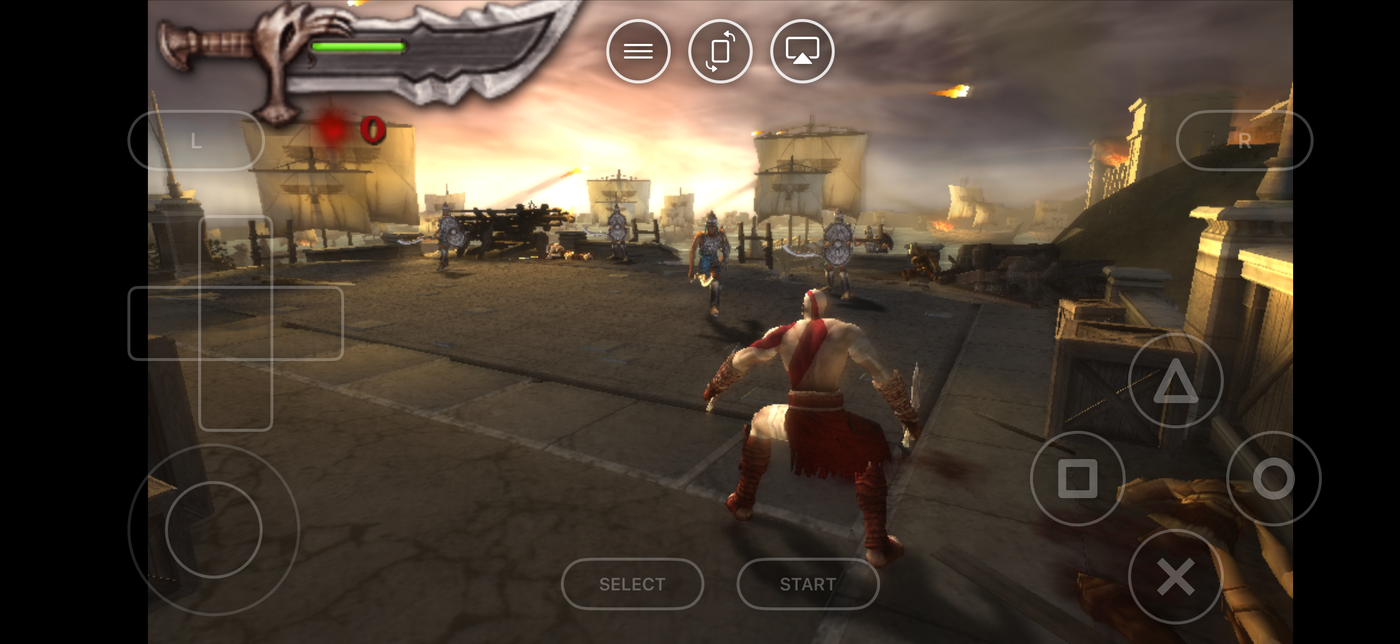
Until April 2024 this question had a miserable answer involving sideloading and apps that died every seven days. Now it's a normal App Store choice, and there are three apps worth talking about: PPSSPP, Haptic Emulator and RetroArch.
They're not really competing on the same thing, which is what makes the choice easy once you see it.
The short version
- Only ever going to play PSP, and like tinkering? PPSSPP. It's the reference PSP emulator on every platform, and the iPhone version has every setting the desktop one does.
- Want PSP alongside your Game Boy, PlayStation and N64 games? Haptic. One library, one controller setup, one set of saves, and PSP is free to play.
- Want everything and don't mind a desktop-style menu on a phone? RetroArch. Maximum coverage, most setup.
Side by side
| PPSSPP | Haptic Emulator | RetroArch | |
|---|---|---|---|
| Systems | PSP only | 24, PSP included | Dozens, via cores you install |
| Price | Free; paid Gold version | Free to play; optional Pro | Free |
| Setup before first game | Import and play | Import and play, box art appears on its own | Download a PSP core, then configure |
| Settings depth | Very deep: rendering, upscaling, per-game tweaks | The ones you'll use: stick size and travel, filters, layout | Very deep, desktop-style menus |
| On-screen controls | PSP layout, adjustable | PSP layout, drag anything, Taptic feedback on press | Generic overlay, configure yourself |
| Real controllers | Yes | Yes: PlayStation, Xbox, MFi | Yes |
| Play on a TV | Standard iOS mirroring | Built in (Pro), phone becomes the controller | Standard iOS mirroring |
| Other consoles in the same library | No | Yes, 23 of them | Yes, one core per system |
| Minimum iOS | iOS 12 | iOS 18 | iOS 12 |
| Ships games or BIOS | No (has a homebrew store) | No | No |
Details on competitors are taken from their App Store listings in October 2026 and will drift. The shape of the comparison won't.
PPSSPP: the specialist
PPSSPP is the PSP emulator. Every other PSP emulator you've heard of is either PPSSPP or built on it, and the iPhone app is the real thing, not a wrapper. If a PSP game runs anywhere, it runs here.
What you get for that is a settings menu that goes on for pages: rendering resolution, texture filtering, frame skipping, per-game configurations. If you enjoy tuning a game until it's perfect, this is the one to tune. The free version plays everything; the Gold version is the same app and exists mostly so people can pay the developer.
What you don't get is anything else. It is a PSP app. Your Game Boy games need a different app, your PlayStation games a third, and each one has its own controller setup and its own save folder.
Haptic: PSP as one shelf of many
Haptic's argument is that almost nobody only wants PSP. They want the PSP game and the GBA one and the PS1 one, and they'd rather not run three apps with three interfaces.
So PSP sits on a shelf next to 23 other systems. Import a game, the box art turns up on its own, and the PSP layout loads when you press play, with a stick you can size and position and controls that float over the picture in landscape. Every press answers back through the Taptic Engine, which is where the name comes from.
PSP is free to play. The optional Pro upgrade adds the extras: unlimited save slots, fast-forward, screen filters, batch importing and sending the picture to a TV while the phone stays in your hands as the controller. That last one is the feature PSP games were quietly waiting for, since they were always being scaled up anyway.
Haptic's PSP settings are shallower than PPSSPP's on purpose. You get the ones that change how a game feels and not the twelve that change how it benchmarks. If you're the kind of person who wants the twelve, you already know you want PPSSPP.
The honest trade
PPSSPP will always have more PSP-specific knobs than any multi-system app, Haptic included. Haptic's bet is that a clean library across all your consoles is worth more day to day than the extra knobs. Which side of that you fall on is the entire decision.
RetroArch: everything, eventually
RetroArch runs PSP through a core which is, in fact, PPSSPP. So the emulation is the same; the experience around it isn't. You download the core, pick it, set up the on-screen overlay and navigate a menu system designed for a keyboard and a monitor with your thumb.
People who already use RetroArch on a PC or a handheld like having the same thing on a phone. People who don't usually find a simpler app and never go back. We wrote more about that in RetroArch on iPhone, or something simpler.
Which iPhone do you need?
PSP is the most demanding system any of these apps run, because it had real 3D hardware that has to be translated for the iPhone's graphics chip. The great majority of the library runs at full speed on any iPhone from the last several years. The handful of heaviest titles are demanding everywhere, including on PCs.
Haptic needs iOS 18, which means an iPhone XS or newer. PPSSPP and RetroArch go back further. If you're on an older phone than that, the choice is made for you.
Things none of them can do
- Supply games. You bring backups of PSP discs you own. Any app that ships games or points you at them is taking a risk you'd end up sharing.
- Ad hoc wireless multiplayer between two PSPs is not something a single phone recreates.
- Make a PSP game use less battery. 3D is 3D. Expect a PSP session to cost noticeably more than a Game Boy one on all three apps.
For the curious (optional)
The PSP's own screen was 480×272 pixels. A modern iPhone display is several times sharper in each direction, which is why PSP games can be drawn at much higher detail on a phone than they ever were on the handheld, and why they hold up so well on a TV. All three apps benefit from this; PPSSPP exposes the most control over exactly how much upscaling happens.
Frequently asked questions
Is PPSSPP on the iPhone App Store?
What is the best PSP emulator for iPhone if I also want other consoles?
Do PSP games run at full speed on an iPhone?
Do any of these apps include PSP games?
Can I use a real controller for PSP games?
PSP, and 23 more.
Haptic Emulator runs 24 retro systems on iPhone and iPad — free to play, and it ships no games: it plays the ones you already have.

Free to play · all 24 systems · iPhone & iPad