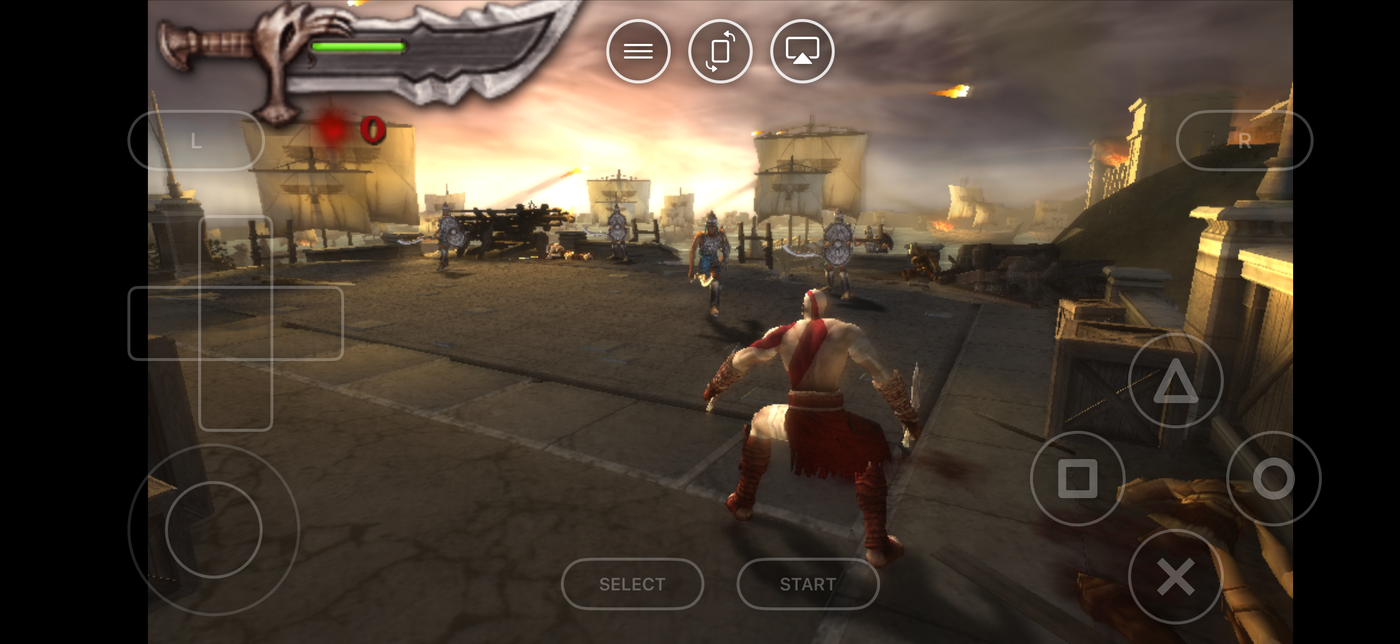
The PSP was Sony trying to put a PlayStation 2 in your pocket, and it very nearly worked. Big, ambitious, console-scale games on a handheld — years before phones could do anything of the sort.
Here's the pleasant surprise: those games look better on your phone than they ever did on the PSP itself.
Why they look better now
The PSP's screen was small and fairly low resolution, and everything was squeezed down to fit it. Your iPhone's display is dramatically sharper, so a PSP game can be drawn at much higher detail than the original hardware could manage.
Same game, same art, considerably more of it visible. The 3D work in particular — which was genuinely impressive in 2005 — holds up far better than people expect.
- Full-screen landscape. Controls float over the picture rather than boxing the game into half the screen.
- A stick that behaves. The PSP's little nub was awkward even when it was new. An on-screen stick you can size and position yourself is a straight improvement.
- Real controllers connect. PlayStation, Xbox and MFi — worth it for anything where you're aiming.
- Put it on the television. This is the good one. More below.
Getting started: the 30-second part
Already have the ROM on your phone?
- Get Haptic Emulator from the App Store. Free, ordinary install, nothing expires after a week.
- Tap import. From Files, a folder, or the clipboard. Zipped files work as they are. PSP games are large, so give it a moment.
- Let the box art land. Covers download automatically and games file themselves on your PSP shelf.
- Turn it sideways. PSP games were made to be held in landscape, and full-screen mode suits them.
Play it on your TV
Send the picture to a television and keep the phone in your hands as the controller. A PSP game on a big screen looks far better than it has any right to — it was always being scaled up anyway — and it turns a handheld game into something you'd happily play on the sofa.
Two quick tips
Don't over-filter these
Screen filters are a big win on older 2D consoles, where the art was drawn for tube televisions. PSP games are 3D and modern enough that they mostly look best left clean. Try one if you like, but don't feel you're missing out by skipping it here.
Set your stick up early
You can change the on-screen stick's size, position and how far it has to travel. Thirty seconds on this at the start pays for itself in any game where you're aiming or driving.
Worth knowing
PSP games are big — much bigger than cartridge-era games — so they take up real space on your phone and importing takes longer than the older systems. And 3D games work the processor properly, so expect a PSP session to use noticeably more battery than a Game Boy one. Neither is a problem, they're just the two things people notice first.
For the curious (optional)
Only if you're interested in the why.
The PSP's screen was 480×272 pixels. That's a fraction of what a current iPhone display can show, which is precisely why PSP games can be rendered at higher detail on a phone and look sharper than the original — there's simply far more room to draw them into.
The PSP is also the most demanding console in Haptic's list, because unlike the 2D machines it had real 3D graphics hardware that has to be translated into something an iPhone's graphics chip understands. Modern iPhones handle that comfortably for the great majority of the library. The heaviest 3D titles are demanding on every platform, phones included, but the days when this was a research project are long gone.
Frequently asked questions
Do PSP games really look better on a phone?
Do I need to jailbreak my iPhone?
Can I play PSP games on my TV?
Do PSP games run smoothly on an iPhone?
Does Haptic Emulator come with games?
Your whole childhood. One download.
Haptic Emulator runs 21 retro systems on iPhone and iPad — free to play, and it ships no games: it plays the ones you already have.

Free to play · all 21 systems · iPhone & iPad