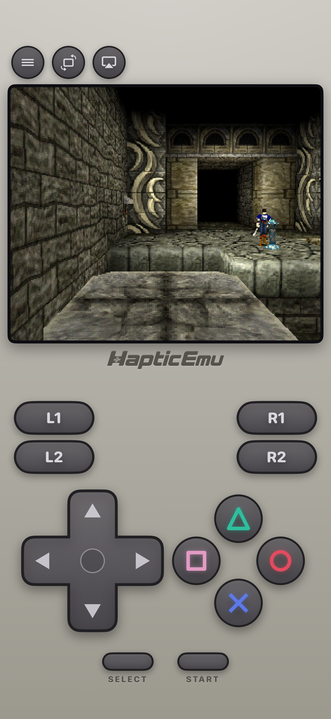
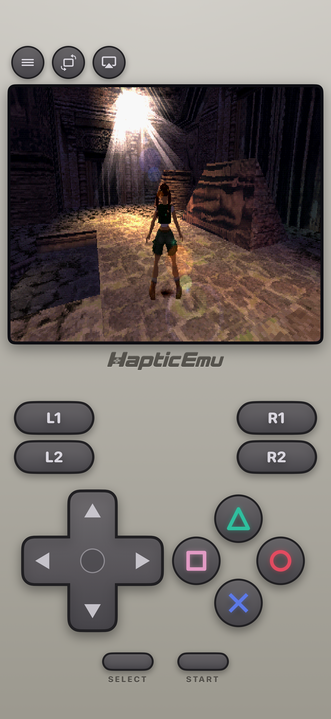
The original PlayStation is where games went 3D and got strange and ambitious about it. Survival horror, enormous RPGs, arcade racers, the first properly cinematic games — and a huge amount of it never got re-released anywhere.
It runs very comfortably on a phone, and the whole library is short enough that you can actually finish things on a commute.
Getting started: the 30-second part
Already have the ROM on your phone?
- Get Haptic Emulator from the App Store. Free, ordinary install, nothing expires.
- Tap import. From Files, a folder, or the clipboard. Zipped files work as they are.
- Bring all the discs for bigger games. Plenty of PlayStation games came on two, three or four discs. Import the lot and you can swap between them without leaving the game.
- Press start. The PlayStation controls load automatically.
Multi-disc games just work
When a game reaches the end of disc one and asks for the next, you swap it in from inside the game and carry on. It's the thing that catches people out most often on this console, and it's handled.
All four shoulder buttons
The PlayStation controller introduced L1, L2, R1 and R2, and the library genuinely uses all of them — the racing games especially. Any layout that only gives you two will let you down eventually.
Haptic lays out all four along the top, with the face buttons in their proper diamond and the right colours. Everything's draggable, and if you'd rather use a real pad, PlayStation, Xbox and MFi controllers all connect.
Turn on the old-television filter
This one matters more on the PlayStation than almost anywhere.
PS1 games were made for tube televisions, and the console had some real quirks — the 3D wobbles slightly, textures shift about as the camera moves, and the picture was fairly low resolution. A CRT smoothed all of that over into something that looked coherent.
Shown perfectly sharp on a modern phone, those quirks become obvious. The wobble is suddenly visible. Shading that used to look smooth turns into a pattern of dots. Switch the filter on and it settles back into the game you remember.
Your memory card is safe
The PlayStation saved to memory cards, and the app keeps the equivalent for you — your saves are yours, and you can pull them out of the app whenever you like, on the free version included. You can also snapshot the game at any moment, which the original could never do.
For the curious (optional)
Background, if you want it.
The PlayStation had no depth correction in its 3D hardware, which is the technical reason polygons visibly wobble and textures swim as the camera moves — it's authentic behaviour, not emulation going wrong. It also output at around 320×240, and artists used dithering (fine checkerboards of two colours) to fake shades the hardware couldn't display, trusting the television to blend them.
Modern screens blend nothing and show every pixel exactly, so that dithering becomes a visible dot pattern and the wobble becomes conspicuous. That's the whole case for the old-television filters here: they're not nostalgia for its own sake, they restore the conditions the art was actually designed for.
Frequently asked questions
Can I play multi-disc PlayStation games?
Are my memory card saves safe?
Does Haptic Emulator come with games?
Do PS1 games have all four shoulder buttons on screen?
Why do PlayStation games look better with a screen filter?
Your whole childhood. One download.
Haptic Emulator runs 21 retro systems on iPhone and iPad — free to play, and it ships no games: it plays the ones you already have.

Free to play · all 21 systems · iPhone & iPad