On iPhone, "best GameCube emulator" is a tangle of sideloading, JIT tools and App Store workarounds. On Android it's refreshingly simple. The official Dolphin app is on Google Play, it's free and open source, and Android lets it use the JIT recompiler that makes the GameCube practical on a phone. For most people, that's the answer.
But it isn't the only option, and a search turns up others: an all-in-one app that runs Dolphin's core, RetroArch, forks that forum threads still swear by, and apps that borrow Dolphin's name. We make Haptic, one of the apps below, so take this with that in mind. We've tried to be fair, including about where the others are ahead.
The short version
- Want Wii games,
.isofiles, upscaling, cheats or every setting there is? Dolphin. - Want GameCube to just work, with nothing to tune, next to the rest of your collection? Haptic. Your GameCube games sit on the same shelf as your N64, PS1 and 3DS ones.
- Already run RetroArch on everything you own? Its Dolphin core, from the website build.
- Found a guide recommending MMJR? Skip it; it's no longer maintained.
- Also kept your original Xbox discs? That's a different app: see Xbox emulators for Android.
Side by side
| Dolphin | Haptic Emulator | RetroArch + Dolphin core | Dolphin MMJR2 | |
|---|---|---|---|---|
| Where you get it | Google Play | Google Play | RetroArch's website (APK) | APK only |
| Price | Free, open source | Free to play with ads; optional Pro | Free, open source | Free, open source |
| JIT | Yes | Yes | Yes | Yes |
| Wii games | Yes | No | Yes | Yes |
| GameCube files | .iso, .rvz, .gcz, .ciso and more | .rvz, .gcz, .gcm, .ciso (not .iso yet) | Dolphin's formats | Dolphin's formats |
| BIOS needed | No | No | No | No |
| Upscaling | Yes | No | Yes | Yes |
| Cheats | Yes | Not for GameCube yet | — | — |
| Other systems | Wii only | 25 more, NES to 3DS | Dozens, via cores | Wii only |
| Still maintained | Yes | Yes | Yes | No |
Details come from each project's own site and Google Play listing in November 2026 and will drift; a dash means we couldn't find it stated. Every one of them runs Dolphin's code in some form.
Dolphin: the reference
Dolphin has been emulating the GameCube since 2003, and the Android app is the official build from the same project, published on Google Play, free and without ads. It plays GameCube and Wii games, opens .iso files directly, renders above the console's resolution, takes cheat codes, and has per-game settings for nearly everything. It can also convert your .iso files to the smaller .rvz format on the phone itself.
It needs a 64-bit phone, and GameCube games run best on a recent mid-range or flagship chip, in Dolphin as in everything else on this page. If you're unsure which app to install, install this one.
Haptic: GameCube without the homework
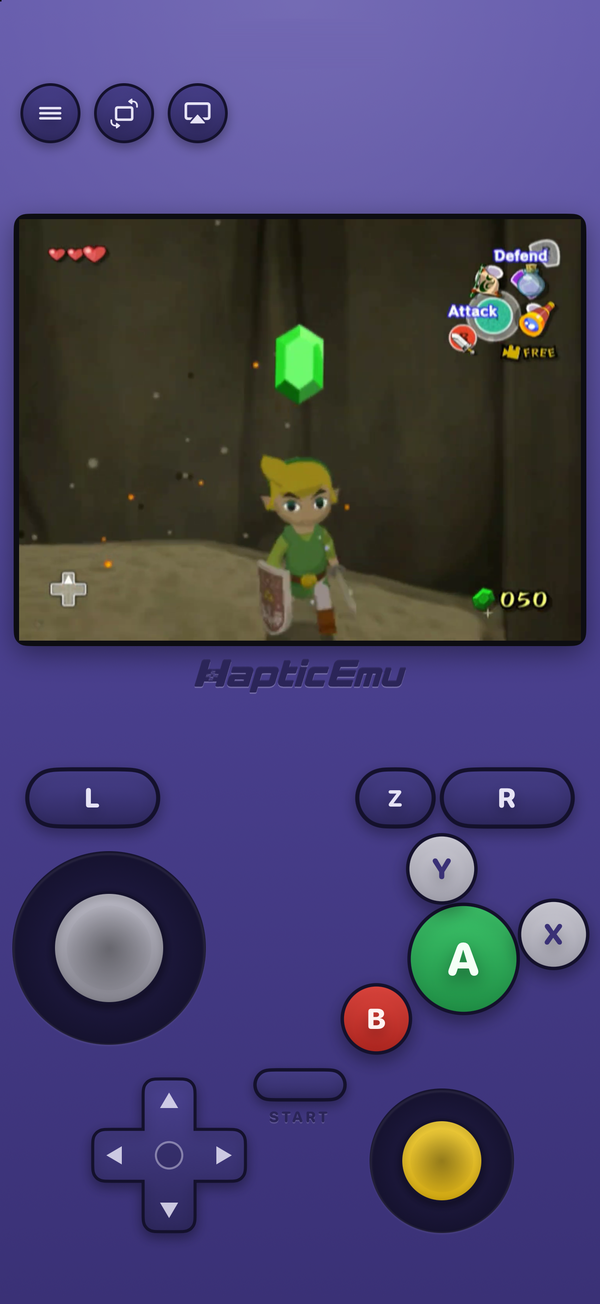
Haptic plays the GameCube on Dolphin's own core, with the JIT recompiler switched on, so the emulation underneath is Dolphin's. What's different is everything around it. You import a game, it lands on a GameCube shelf with its cover art, and you press play: no settings to work through first. The on-screen pad is shaped like the GameCube controller, control stick and yellow C-stick included, with a buzz from the phone's vibration motor on every press. PlayStation, Xbox and other Bluetooth or USB controllers map to it the way you'd expect. Our GameCube guide for Android walks through it step by step.
And the GameCube sits next to 25 other systems, from the NES to the PSP, Dreamcast and 3DS, with your games and saves never uploaded.
The honest trade
Haptic's GameCube is deliberately simple, and narrower than Dolphin's: no Wii, no upscaling, no cheats for GameCube, and plain .iso files need converting to .rvz first. If any of those matter, Dolphin is the better GameCube app today. Haptic's bet is that most people want their GameCube games to start without a tutorial, and to live alongside everything else they own.
RetroArch: the Dolphin core route
RetroArch runs emulators as "cores", and libretro's Dolphin core plays GameCube and Wii games inside it. The catch on Android is where you get it. The Google Play builds of RetroArch have no core downloader and ship a fixed selection of cores, and as far as we can tell Dolphin isn't among them. The build from RetroArch's own website can download it.
That makes it a route for people who already use RetroArch on a PC or handheld and want one setup everywhere. If GameCube is the point, standalone Dolphin is simpler and gets new features first.
MMJR and other forks: mostly history
Search for a GameCube emulator for Android and older guides will point you at Dolphin MMJR or MMJR2, forks tuned for speed on the slower phones of a few years ago. They earned their reputation then, but the official app has caught up, and the Emulation General wiki lists the project as inactive. They were never on Google Play, so they mean installing an APK from outside the store, with no updates to follow. Unless an old phone of yours runs one game better on it, there's no reason to start there today.
Watch out for the name
Popular emulators attract copycats. The real app is called Dolphin Emulator, it's published by the Dolphin project, and dolphin-emu.org links to its listing. Be wary of anything that borrows the name or the blue dolphin logo under a different publisher, promises games included, or shows ads before you've loaded a thing.
And launcher apps such as ES-DE or Daijishō aren't emulators at all. They organise your library and open Dolphin for you, which is handy, but you still need Dolphin underneath.
Which Android phone do you need?
The minimums are low: Dolphin and Haptic both need a 64-bit phone, and Haptic needs Android 9 or later, nearly every phone sold since about 2019. But for GameCube, the minimum isn't the useful number. It's one of the most demanding systems you can emulate on a phone, and whichever app you choose, a recent Snapdragon, Dimensity, Tensor or Exynos chip runs more games at full speed. On a budget phone, expect lighter games to run well and the busiest 3D scenes to slow down.
For the curious (optional)
Every GameCube emulator on this page runs Dolphin's code in some form. That includes Haptic, whose GameCube support on Android is libretro's Dolphin core with Dolphin's JIT recompiler translating the GameCube's PowerPC code into the phone's ARM code. That's open-source software working as intended, and credit goes to the Dolphin developers whose work makes all of these apps possible.
Frequently asked questions
What is the best GameCube emulator for Android?
Is Dolphin MMJR still worth using?
Does RetroArch play GameCube games on Android?
Which GameCube emulator for Android plays Wii games?
How do I spot a fake Dolphin app on Google Play?
Do any of these apps include GameCube games?
The GameCube, and 25 more.
Haptic Emulator runs 26 retro systems on Android phones — free to play, and it ships no games: it plays the ones you already have.


Free on Google Play · Android 9 and later · 26 systems