Game Boy Advance is the easy case. It's a 2D handheld, its games are small, and every modern phone runs the whole library at full speed without noticing. So you won't be choosing an emulator on performance. All three apps below play GBA well, which means the choice is about everything around the game.
The three: Delta, Haptic Emulator and RetroArch.
The short version
- Only Nintendo, and you play on more than one device? Delta. Nintendo systems from the NES to the DS, with saves synced through Google Drive or Dropbox.
- GBA plus anything from Sony, SEGA, Atari or the arcade? Haptic. One library for 24 systems, GBA free to play, and nothing leaves your phone.
- Like setting things up yourself? RetroArch. Pick your own core, build your own overlay.
Side by side
| Delta | Haptic Emulator | RetroArch | |
|---|---|---|---|
| Systems | Nintendo only: NES to DS | 24: Nintendo, Sony, SEGA, Atari, NEC, SNK, arcade, DOS | Dozens, via cores you install |
| Price | Free; optional patron tiers | Free to play; optional Pro | Free |
| Setup before first game | Import and play | Import and play, box art appears on its own | Install a core, configure the overlay |
| GBA layout on screen | Yes, with downloadable skins | Yes, drag any button, Taptic feedback on press | Generic overlay, configure yourself |
| Screen filters | Limited | Handheld LCD, CRT, VHS and more (Pro) | Shaders, configure yourself |
| Cheat codes | Yes | Yes, GameShark and Game Genie style | Yes |
| Fast-forward | Yes | Yes (Pro) | Yes |
| Saves | Cloud sync via Google Drive or Dropbox | Local, exportable free; no account needed | Local |
| Real controllers | Yes | Yes: PlayStation, Xbox, MFi | Yes |
| Minimum iOS | iOS 14 | iOS 18 | iOS 12 |
| Ships games or BIOS | No | No | No |
Competitor details come from their App Store listings in October 2026 and will drift. The shape of the comparison won't.
Delta: the one you've heard of
Delta grew out of GBA4iOS, which is as good a pedigree for a GBA emulator as exists. It's been on the App Store since the day Apple allowed emulators, it's polished, and GBA is its home turf. Its standout feature is sync: your games, saves, cheats and controller skins follow you between an iPhone and an iPad through Google Drive or Dropbox.
Its limit is scope, and for GBA that limit only bites if you own other things. Delta covers Nintendo from the NES to the DS and stops there. No PlayStation, no PSP, no SEGA.
Haptic: GBA as one shelf of many
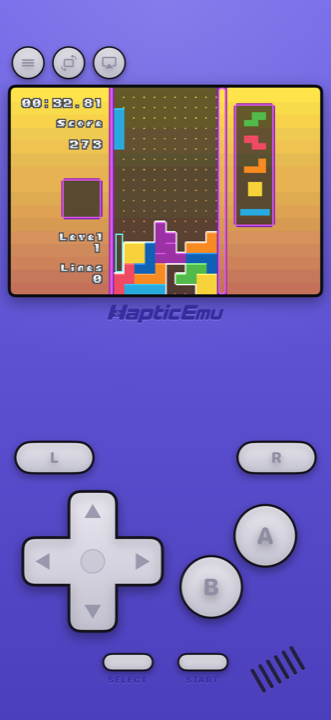
Haptic's GBA is the indigo shell with the shoulder buttons where your thumbs expect them, every button draggable, and a tap back through the Taptic Engine on each press, which is more of a difference on a handheld game than it sounds. Import a cartridge backup and it files itself on the GBA shelf with its cover art.
The reason to pick it over Delta is the other 23 shelves. If your collection has a PlayStation disc or a PSP game or a Mega Drive cartridge in it, that's the point where Delta hands you off to a second app and Haptic doesn't. One interface, one controller setup, one place your saves live.
Those saves are yours. Export them on the free version whenever you like. Nothing goes to a cloud, which is either a limitation or the whole point depending on how you feel about that; if you want automatic sync between devices, Delta has it and Haptic doesn't.
The one setting worth touching
The handheld LCD filter. GBA art was drawn for a small, slightly dim, unlit screen, and on a bright modern phone the colours can look harsher than you remember. The filter puts a little of the original screen back. It's one tap, and on games you know well the difference is immediate.
RetroArch: build it yourself
RetroArch runs GBA through a core you install, with every setting in the world behind a desktop-style menu. If you use it elsewhere, you'll want it here. If not, you'll spend your first evening in menus rather than in Minish Cap. More on that here.
What none of them can do
- Link cable. Trading Pokémon between two phones needs two machines and a cable, and one phone can't be two machines.
- Supply games. You bring backups of cartridges you own.
- Tilt or microphone games. A few GBA cartridges had sensors in them. A flat screen can't tilt.
For the curious (optional)
The GBA's screen was 240×160 pixels, unlit on the original model, which is why so many of its games are brighter and higher-contrast than they needed to be: artists were compensating for a screen you had to tilt toward a lamp. On a backlit phone that compensation can tip into garish. The LCD filters in all three apps exist to undo it. All three emulate the system accurately; the GBA is well understood and long solved.
Frequently asked questions
What is the best Game Boy Advance emulator for iPhone?
Do I need to jailbreak my iPhone for a GBA emulator?
Will my GBA save files move between emulators?
Do any of these apps include GBA games?
Can I use a Backbone or a PlayStation controller for GBA games?
GBA, and 23 more.
Haptic Emulator runs 24 retro systems on iPhone and iPad — free to play, and it ships no games: it plays the ones you already have.

Free to play · all 24 systems · iPhone & iPad