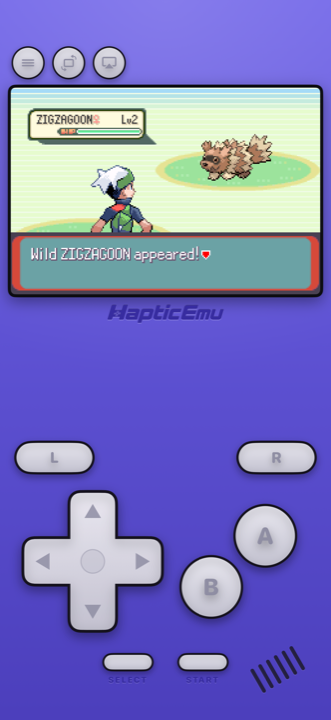
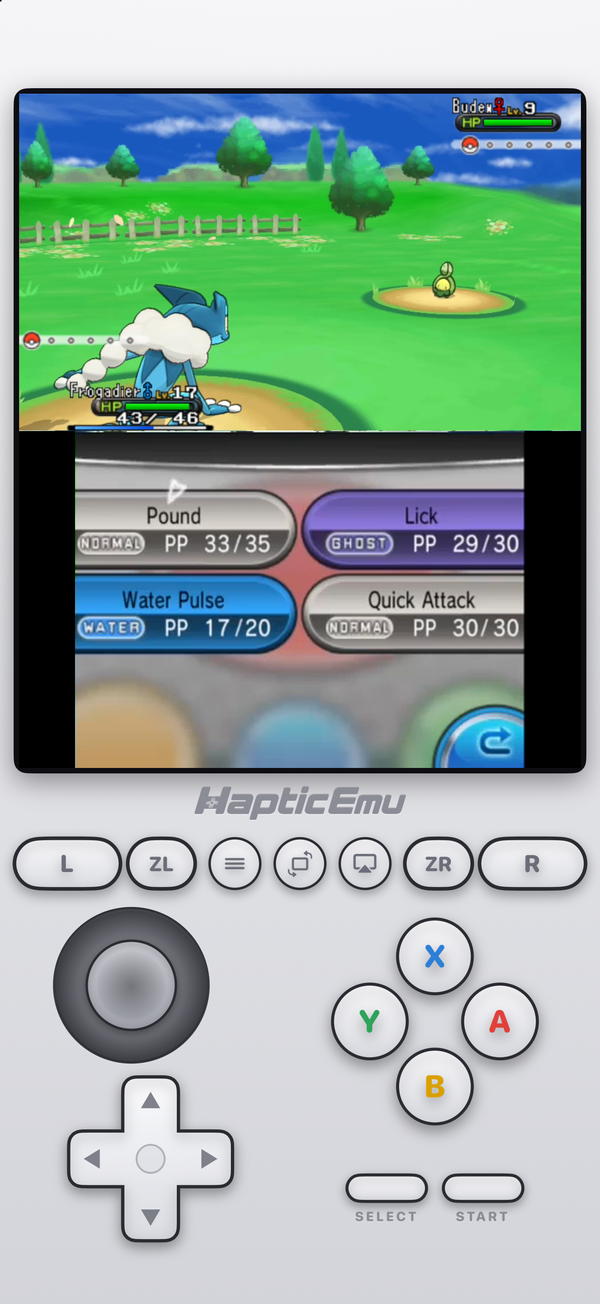
Every main-series Pokémon game from 1996 to 2017 came out on a Nintendo handheld: the Game Boy, the Game Boy Advance, the DS and the 3DS. Apple has allowed emulators for those consoles on the App Store since 2024, so you can play every one of them on an iPhone. The only question is which console your game needs, and which app plays it.
Every generation and its handheld
| Gen | Games (first release) | Handheld | Delta | Haptic Emulator |
|---|---|---|---|---|
| 1 | Red and Blue (1996), Yellow (1998) | Game Boy | Yes | Yes |
| 2 | Gold and Silver (1999), Crystal (2000) | Game Boy Color | Yes | Yes |
| 3 | Ruby and Sapphire (2002), FireRed and LeafGreen (2004), Emerald (2004) | Game Boy Advance | Yes | Yes |
| 4 | Diamond and Pearl (2006), Platinum (2008), HeartGold and SoulSilver (2009) | Nintendo DS | Yes | Yes |
| 5 | Black and White (2010), Black 2 and White 2 (2012) | Nintendo DS | Yes | Yes |
| 6 | X and Y (2013), Omega Ruby and Alpha Sapphire (2014) | Nintendo 3DS | No | Yes, from 1.0.13 |
| 7 | Sun and Moon (2016), Ultra Sun and Ultra Moon (2017) | Nintendo 3DS | No | Yes, from 1.0.13 |
Years are the first release, which was in Japan; most of these reached other countries a few months to two years later. Crystal needs a Game Boy Color; Gold and Silver also ran on the original Game Boy. App details drift, so check each listing before you download.
Delta, the best-known iPhone emulator, stops at the DS. That's fine if you only want Generations 1 to 5. For X and Y onwards you need a 3DS emulator, and on the App Store that means Haptic, Manic EMU or Folium. We compare those three in best 3DS emulator for iPhone, and Delta against Haptic in Delta vs Haptic.
From Sword and Shield in 2019, the main series moved to the Nintendo Switch. Haptic doesn't play Switch games, so this page stops at Generation 7.
Getting set up
- Get Haptic Emulator from the App Store. Free, no jailbreak, nothing to enable or renew.
- Import a backup of your cartridge. From Files, a folder or the clipboard; zipped files are fine. Haptic works out which console it belongs to and puts it on that system's shelf.
- Press start. Each console gets its own controller layout, and every button can be dragged where it suits your hands.
For 3DS games the backup has to be decrypted. Haptic checks at import and tells you if it isn't, and it needs no keys or system files. The 3DS on iPhone guide has the details.
What each generation is like on a phone
- Generations 1 and 2, Game Boy and Game Boy Color. The lightest games here, and comfortable on any iPhone that runs Haptic. The Game Boy guide covers the screen filters that make them look like the original.
- Generation 3, Game Boy Advance. The sweet spot for a phone: four face buttons and two shoulders, all of which fit on screen. We have guides for FireRed and Emerald, and for the GBA in general.
- Generations 4 and 5, Nintendo DS. The lower screen is a touchscreen, and your finger is the stylus. You can stack the two screens or put them side by side, which works well on an iPad. More in the DS guide.
- Generations 6 and 7, Nintendo 3DS. The heaviest by far. X and Y and Omega Ruby and Alpha Sapphire are the lighter pair; Sun and Moon want a recent iPhone. Our 3DS Pokémon guide goes through each one.
What you can't do
- Trade. Every generation traded between two consoles, by link cable or wireless. A single phone can't recreate that, so trade evolutions such as Haunter, Kadabra, Machoke and Graveler are out of reach. Every main story still plays through.
- Play online. Nintendo shut down the DS online service in 2014 and the 3DS one in April 2024. That affects everyone, emulator or not.
- Get the games from the app. Haptic ships no games, ROMs, keys or BIOS files. It plays backups of cartridges you already own.
Beyond the main series
The spin-offs are on the same consoles. Pokémon Pinball is a Game Boy Color game, the first Mystery Dungeon games are on the GBA and DS, and Pokémon Snap and Pokémon Stadium are on the Nintendo 64, which Haptic also plays.
For the curious (optional)
Each generation was built around the console it shipped on, and you can see that on a phone. The Game Boy games used two buttons and a d-pad, so they fit anywhere. The DS games put menus on the touchscreen, so they play better with a finger than with on-screen buttons. The 3DS games pushed the hardware hard enough that Sun and Moon slowed down in double battles on the original console. The scenes that strained the original hardware are the ones that strain a phone.
Frequently asked questions
How do I play Pokémon on my iPhone?
Which emulator plays every Pokémon generation on iPhone?
Do I need to jailbreak my iPhone?
Can I play Pokémon Sword, Scarlet or other Switch games?
Can I trade Pokémon or evolve Haunter and Kadabra?
Does Haptic Emulator come with Pokémon games?
Every generation you played. One app.
Haptic Emulator runs 26 retro systems on iPhone and iPad — Game Boy to 3DS, free to play, and it ships no games: it plays the ones you already have.

Free to play · all 26 systems · iPhone & iPad